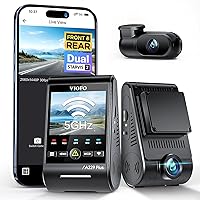
Thinkware U3000 Pro Dash Cam Review: Worth It? (November 2026)
Buy the THINKWARE U3000 PRO if you want a 4K front camera and a 2K rear camera in one install, with radar parking mode that wakes on motion. Pick the single-channel U3000 if rear coverage matters less to you.
On this page (9 sections)
- The THINKWARE U3000 PRO at a glance
- Who should buy the THINKWARE U3000 PRO
- The specs that matter in daily use
- Setting up the dual-channel install
- Living with the app and the alerts
- Care and maintenance for a two-camera setup
- The trade-offs to know before you buy
- Alternatives worth a look
- Verdict: is the THINKWARE U3000 PRO worth it?
The THINKWARE U3000 PRO is the dual-channel dash cam to buy if you want 4K in front and 2K behind. Its two Sony STARVIS 2 sensors and radar parking mode cover the moments that matter most, and the included 64GB card gets you recording on day one.
This Thinkware U3000 Pro review covers what the specs mean in daily driving and when the cheaper single-channel U3000 makes more sense.
It sits at the top of the U3000 family for a reason. The extra rear camera fills the gap most single-camera setups leave open.
The THINKWARE U3000 PRO at a glance
The U3000 PRO pairs a 4K front camera with a 2K rear camera and adds radar-based parking protection. It's the pick when one install should cover both directions of travel and the car while it's parked.
THINKWARE U3000 PRO Dash Cam 4K Front: Best for front and rear coverage

- 4K front and 2K rear
- Sony STARVIS 2 sensors
- Radar parking mode
- Dual-band Wi-Fi
- 64GB card included
A two-channel camera that records the road ahead in 4K and behind in 2K. Radar parking mode wakes the camera on motion, so you get parking coverage without a constant power drain.
Pros
- 4K front and 2K rear recording
- Sony STARVIS 2 sensors and Ambarella CPU
- Radar parking mode with 20-second clips
- Dual-band 2.4GHz and 5GHz Wi-Fi
- 64GB card and OBD cable included
Cons
- Two-channel install takes more cable routing
- LTE features need extra hardware
- A single-channel setup costs less
Our score weighs specs, features and buyer feedback against what you're shopping for. The dual STARVIS 2 sensors and the radar parking mode carry most of the weight.
What the U3000 PRO is built to do
The camera records the road ahead in 4K and the road behind in 2K at the same time. Wide dynamic range and smart auto-exposure balance harsh light so bright skies and shaded roads both stay readable.
Radar parking mode is the headline feature. Instead of recording all night and flattening the battery, radar watches for motion and wakes the camera for a 20-second clip when something moves.
Motion and impact sensors also trigger 20-second event files that keep 10 seconds before and after the moment. That buffer is what turns a random clip into usable evidence.
Who should buy the THINKWARE U3000 PRO
Buy the U3000 PRO if you want front and rear video from a single camera system. A rear camera catches tailgating, rear-end hits and parking knocks that a front lens never sees.
It also suits drivers who park on streets or in shared lots and want motion-triggered coverage. Radar parking mode is the reason to pay for this model over a plain dual camera.
Skip it if you rarely want rear footage. The single-channel U3000 records 4K in front for less money and less cable work, and the front lens is what most insurance claims rely on.
Skip it too if you want to watch video on the camera itself. This model has no screen, so you review footage on your phone through the app.
The specs that matter in daily use
The dual STARVIS 2 sensors and the Ambarella CPU do the heavy lifting. They keep the picture clean when light changes fast, like leaving a tunnel or driving into low sun.
The front lens covers 147.2 degrees. That's wide enough to catch the lane beside you at a junction without stretching the edges of the frame into a fish-eye smear.
Frame rate is 30 FPS, which is normal for 4K recording. It's smooth enough for plates and signs at city speeds and on the highway.
Wi-Fi runs on both 2.4GHz and 5GHz. The 5GHz band moves files to your phone faster, so a clip you need at the roadside doesn't take all day to download.
The camera ships with a 64GB microSD card and takes cards up to 512GB. A bigger card means more days of loop recording before older files get overwritten.
GPS tags speed and location onto the video. It also feeds speed camera alerts and the safety warnings for forward collisions and lane departures.
Setting up the dual-channel install
Plan the cable run before you stick anything to the glass. The front camera mounts on the windshield and the rear camera needs a cable routed to the back of the car.
Start by placing the front unit where the lens sees the road and the wiper clears rain. Keep it out of the driver's sightline and away from any airbag zone.
Then run the rear cable along the headliner and down the rear pillar, tucking it behind trim with the included trim tool. Leave slack at both ends so the cable doesn't pull tight when the car flexes.
Pair the camera to your phone through the Dash Cam Link app over Wi-Fi. Set the time, confirm GPS is locked and check that both channels record before you rely on it.
Finally, decide how you'll power parking mode. Hardwiring or an OBD cable keeps the camera live while the car is off.
If you want help with the wiring, our parking mode hardwiring walkthrough covers the steps.
Living with the app and the alerts
Day to day, most of your contact with the U3000 PRO happens in the app. You'll replay clips, change settings and pull footage for an insurance claim from your phone.
The dual-band Wi-Fi makes that easier. Connect on 5GHz when you're parked and need to move a large file, and fall back to 2.4GHz if the 5GHz signal is weak.
The driver alerts are worth tuning. Forward collision and lane departure warnings can help on long drives, but some drivers turn down the volume in heavy traffic.
Speed camera alerts are the most useful of the set.
GPS tagging saves you from guessing where a clip was shot. The speed and location stamp sits on the video, which is handy when you need to show when and where something happened.
If you want to compare how this app-and-alert approach stacks up against other brands, our Vantrue vs Viofo dash cam comparison walks through the differences in daily use.
Care and maintenance for a two-camera setup
Check both lenses every couple of weeks. A smudge on the rear lens is easy to forget, and it blurs the footage exactly when you need it sharp.
Wipe the glass with a soft cloth and a lens-safe cleaner. Don't scrub with a dry tissue, which can leave fine scratches on the coating.
Reformat the memory card on a schedule the camera supports. Loop recording fills the card over time, and a clean format keeps it writing without errors.
Check the adhesive mount in hot weather. Heat softens the tape, and a camera that droops changes the angle of every clip.
Keep the app and firmware current so the parking mode and alerts work as intended. A quick check after each update confirms both channels still record.
The trade-offs to know before you buy
The main trade-off is install effort. Two cameras mean more cable routing than a single-camera setup, and the rear run takes the most time.
There's no screen on the camera. You review footage on your phone, which is fine day to day but slower if you want a quick look at the roadside without the app.
The LTE features need extra hardware. Live remote viewing and instant impact notifications depend on a connection the camera doesn't provide on its own.
Radar parking mode still needs a power source while parked. Hardwiring, an OBD cable or a battery pack keeps it running, so budget for that part of the install.
Finally, the 64GB card fills faster with two channels recording. A larger card cuts how often older files get overwritten.
Alternatives worth a look
Three other cameras make sense depending on what you value most. Each one is a better fit for a different driver.
THINKWARE U3000 4K Dash Cam Front
The U3000 is the front-only version of the same family. It records 4K from a Sony STARVIS 2 IMX 678 sensor and covers 156 degrees, which is wider than the PRO's front lens.
Setup is quicker because there's no rear cable to route. It also pairs over Bluetooth for faster first-time connection and ships with a CPL filter to cut glare.
Pick it if front coverage is all you need. You give up the rear camera and the dual-channel parking coverage, but you save on install time and cost.
ROVE R2-4K Dual
The R2-4K Dual is the alternative if you want a screen on the camera. Its 3 inch IPS display lets you watch footage without reaching for your phone.
It ships with a 128GB card and takes up to 1TB, so it holds more footage between overwrites. GPS speed and location stamps work the same way as on the Thinkware.
The catch is resolution. The front 4K is upscaled from 2.5K rather than native, and the rear records at 1080p instead of 2K.
If native 4K front video is the priority, the Thinkware wins.
Garmin Dash Cam Mini 3
If you want the smallest possible camera on the glass, a mini dash cam is worth considering. Our Garmin Dash Cam Mini 3 review covers a compact single-camera option that stays out of the way.
The trade-off is coverage. A mini camera records the front only, so you lose the rear view and the radar parking mode that make the U3000 PRO useful in a parking lot.
REDTIGER F7NP
For a budget dual-camera setup, the REDTIGER F7NP is another route. Our REDTIGER F7NP review looks at what you get for less money and where it gives up ground to the Thinkware.
Expect a simpler feature set. The Thinkware's radar parking mode and dual STARVIS 2 sensors are the reasons it costs more.
Verdict: is the THINKWARE U3000 PRO worth it?
Yes. The THINKWARE U3000 PRO is worth buying if you want one camera system that covers front and rear, and radar parking mode seals it for anyone who parks on the street.
The 4K front and 2K rear footage from dual STARVIS 2 sensors is the core reason to choose it.
This Thinkware U3000 Pro review lands on a clear call. Pick the PRO for two-channel coverage and motion-triggered parking protection.
Pick the single-channel U3000 if you only want front footage and an easier install. Pick the ROVE R2-4K Dual if a built-in screen matters more than native 4K.
Whichever you choose, plan the power side of the install first. Parking mode is only as good as the cable that keeps the camera alive while the car sits.
Frequently asked questions
Is the THINKWARE U3000 PRO front camera native 4K?
Yes. The front camera records at 4K and the rear at 2K, both from Sony STARVIS 2 sensors with an Ambarella CPU.
That native resolution separates it from dual cameras that upscale a lower-resolution front image to 4K.
Does the U3000 PRO come with a memory card?
A 64GB microSD card is in the box, so you can record right away. The camera accepts cards up to 512GB, which gives you longer loop coverage before older files are overwritten.
What does radar parking mode do?
Radar detects motion near the parked car and wakes the camera to record a 20-second clip. The energy-saving design keeps coverage going without draining your battery as fast as a camera that records continuously.
Can I view footage on my phone?
Yes. The camera pairs over Wi-Fi on 2.4GHz or 5GHz through the Dash Cam Link app.
You can replay clips and change settings from the app instead of pulling the memory card.
Does the U3000 PRO record GPS data?
Yes. GPS tagging stamps speed and location onto the footage, and the camera gives speed camera alerts.
That gives you a location record to go with the video when you need evidence.