6 Best Mirror Dash Cams (October 2026)
The best mirror dash cams include the WOLFBOX G840S Mirror Dash Cam for daily commuters, the WOLFBOX G930 Mirror Dash Cam for smaller cabins, and the WOLFBOX G900 PRO Mirror Dash Cam for rear evidence.
On this page (8 sections)
- How we chose these mirror dash cams
- The best mirror dash cams for different drivers
- What should you check before buying a mirror dash cam?
- How much do resolution and night features matter?
- How should you set up a mirror dash cam?
- What do parking mode and storage need?
- How do you keep footage useful after installation?
- Which mirror dash cam should you choose?
The WOLFBOX G840S is the best mirror dash cam for most drivers here because it combines a large rear-view display with front and rear recording, GPS and included storage. Choose the G930 for a smaller cabin or the G900 PRO if recording detail behind your vehicle matters more.
A mirror camera makes sense if passengers, headrests or cargo interrupt your reflected rear view. Its usefulness still depends on a clear rear lens, secure mounting and a screen you can read comfortably.
For options outside this format, see our guide to front and rear dash cams. Compare 360 dash cams if coverage around the cabin matters more than a mirror-mounted display.
Our picks at a glance
-
1

-
2

-
3
- 4
 Best for frequent clip sharingCheck it
 - 5
 Check it
WOLFBOX G900 Core-N Mirror Dash Cam
Best for voice control users - 6
 Check it
QOZ 4K Rearview Mirror Dash Cam
Best for tight parking spaces
How we chose these mirror dash cams
We favored usable front and rear recording, clear accessory requirements and practical cabin fit. Display size, memory, GPS, phone access and parking power needs shaped the order.
Resolution matters, but a camera that blocks your visor or has an unreachable rear cable is the wrong choice. We also gave attention to recording-mode tradeoffs, especially where extra features change video resolution.
All 6 include a rear camera, but their packages differ. The comparison below highlights the differences that narrow your choice before you plan installation.
| Product | Best for | Front / rear video | Display | Included card | Our score |
|---|---|---|---|---|---|
| WOLFBOX G840S Mirror Dash Cam | daily commuters | 4K / 1080p | 12 in | 32GB | 8.5 |
| WOLFBOX G930 Mirror Dash Cam | smaller cabins | 4K / 1080p | 10 in | 64GB | 7.8 |
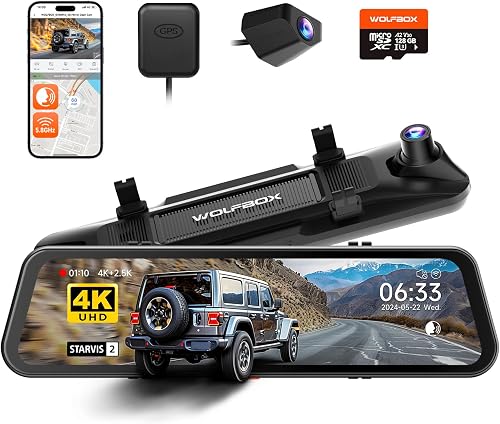
| WOLFBOX G900 PRO Mirror Dash Cam | rear evidence | 4K / 2.5K | 12 in | 128GB | 7.5 |
| Pelsee S12 Mirror Dash Cam | frequent clip sharing | 4K / 2.5K | 12 in | 64GB | 7.4 |
| WOLFBOX G900 Core-N Mirror Dash Cam | voice control users | 4K / 1080p | 12 in | None | 7.2 |
| QOZ 4K Rearview Mirror Dash Cam | tight parking spaces | 4K front; rear resolution needs confirmation | 10 in | 64GB | 7.0 |
The best mirror dash cams for different drivers
The G840S suits most commuters, while the remaining picks address smaller cabins, rear footage, phone transfers, voice commands and reversing views. Each has a reason to buy and a reason to choose something else.
WOLFBOX G840S Mirror Dash Cam
- Front 4K and rear 1080p video
- 12 in display
- GPS antenna included
- 32GB card included
- Hardwire kit required for parking monitoring
A large camera display with GPS and storage included suits commuters who want front and rear recording without choosing every accessory separately.
Pros
- Split-screen camera views
- GPS antenna and storage included
- Phone playback and sharing
Cons
- Less rear resolution than the 2.5K alternatives
- Parking monitoring requires a hardwire kit
The G840S suits drivers who want a broad camera display for routine commuting and family trips. Its 12 in touchscreen supports split-screen viewing, so you can see both camera feeds without switching between them.
It records front video at 4K and rear video at 1080p. A 32GB card and external GPS antenna come with it, while the WOLFBOX app provides live viewing, playback and sharing over Wi-Fi.
This is a sensible starting point if rear footage mainly needs to document traffic movement and the sequence of an incident. Choose the G900 PRO instead if extra rear recording resolution is central to your decision.
The G840S supports time-lapse parking monitoring with a separate hardwire kit. Read what dash cam parking mode does before deciding how you want parked events recorded.
Skip it if the large screen crowds your windshield or interferes with the sun visors. Also confirm rear cable reach: the included 11 ft measurement refers to the charger cable, so it cannot guide your rear camera route.
WOLFBOX G930 Mirror Dash Cam
- Front 4K and rear 1080p video
- 10 in display
- 64GB card included
- GPS antenna included
- 5.8GHz Wi-Fi
The smaller display suits cabins where a larger mirror screen would crowd the windshield or nearby controls.
Pros
- Smaller screen than the 12 in alternatives
- Card and GPS antenna included
- Swipe controls change the displayed view
Cons
- Rear camera is 1080p
- Confirm parking power requirements before planning parked coverage
The G930 is the pick for drivers whose cabin has limited room around the mirror. Its 10 in display takes the smaller-screen approach while keeping front 4K and rear 1080p recording.
Swiping changes the displayed view or moves the visible portion of the camera image. That helps when you want a different on-screen framing, though you still need to aim the physical rear camera correctly.
The package includes a 64GB card, an external GPS antenna and a 21.3 ft rear camera cable. GPS enables speed and direction on screen, and the WOLFBOX app handles clip downloads and sharing.
Loop recording replaces older footage, while the G-sensor protects the current clip when it detects a collision. Save important files elsewhere rather than relying only on that automatic protection.
Choose the G930 if screen clearance is the deciding factor. Skip it if rear recording detail matters more than display size, and confirm the required power setup before relying on its parking monitor.
WOLFBOX G900 PRO Mirror Dash Cam
- Front 4K and rear 2.5K video
- 128GB card included
- Voice control
- 5.8GHz Wi-Fi
- Hardwire kit required for parking monitoring
Higher rear recording resolution and a larger included card suit drivers who care about preserving events behind the vehicle.
Pros
- Higher-resolution rear recording
- Larger included memory card
- Voice commands alongside touch and app controls
Cons
- Parking monitoring requires a separately sold hardwire kit
- Large display needs enough mirror clearance
The G900 PRO suits drivers who want more recorded detail behind the vehicle. It pairs front 4K with rear 2.5K recording, both at 30 fps, rather than making the rear channel a lower-resolution afterthought.
Its front camera uses a STARVIS 2 IMX678 sensor. That sensor is a reason to consider it for evening driving, but moving plates can still blur under headlights or in poor weather.
A 128GB card, external GPS antenna and 21.3 ft rear cable are included. Voice control provides another way to manage functions, alongside the touchscreen and WOLFBOX app.
Pick it if rear evidence and included storage take priority over a smaller display. Skip it if you mainly want a basic commute record and would find the 12 in screen intrusive.
Parking monitoring needs a separately sold hardwire kit. Our guide to hardwiring a dash cam explains how the power connection differs from plugging into a vehicle outlet.
Pelsee S12 Mirror Dash Cam
- Front 4K and rear 2.5K video
- Wi-Fi 6
- 64GB card and GPS module included
- Hardwire kit required for parking surveillance
Phone transfers, app updates and included GPS suit drivers who regularly save clips and review routes.
Pros
- Wi-Fi 6 and app-based firmware updates
- Memory card and GPS included
- IP67-rated rear camera
Cons
- Parking surveillance requires a hardwire kit
- Strap fit and front lens clearance need careful measurement
The S12 suits drivers who regularly save road clips to a phone rather than leaving everything on the memory card. Wi-Fi 6 and the Pelsee app support downloads, playback and GPS details, with app-based firmware updates as well.
It records native front 4K and rear 2.5K video. The package includes a 64GB card, external GPS module and 19.6 ft rear cable; the rear camera has IP67 protection.
Fit is the main buying hurdle. Pelsee specifies an original mirror at least 6.3 in wide and no more than 5.91 in thick for the straps, and a sensor housing must not block the adjustable front lens.
Pelsee offers a separate bracket for unsuitable mirror shapes. Confirm that mounting approach before ordering if your mirror is narrow, tall or irregular.
Skip the S12 if the supplied cable cannot cover your route or its screen crowds the cabin. Rear window tint and reflections can reduce image clarity, and parking surveillance requires a separate hardwire kit.
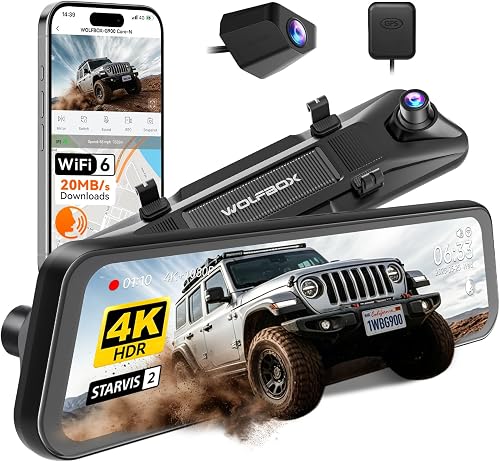
WOLFBOX G900 Core-N Mirror Dash Cam
- Front 4K and rear 1080p video
- Voice control
- Wi-Fi 6
- No SD card included
- Hardwire kit required for parking mode
Voice commands suit drivers who want to save clips without reaching for the screen, provided they add a compatible memory card.
Pros
- Voice commands cover 12 functions
- Supercapacitor power design
- Parking mode includes time-lapse and impact detection
Cons
- Memory card is not included
- Parking mode requires a separately sold hardwire kit
The G900 Core-N suits drivers who want to save a clip with a spoken command instead of reaching toward the mirror. Its voice controls cover 12 functions, including taking a picture and locking video.
Front recording is 4K, rear recording is 1080p, and both channels have independent HDR. The front camera uses a STARVIS 2 IMX678 sensor, while the unit uses a supercapacitor power design.
WOLFBOX specifies an operating range of -4°F to 158°F. That does not remove the need to follow installation guidance or mean the camera can record without an external power source.
There is no memory card in the box. WOLFBOX recommends its own compatible 128GB, 256GB or 512GB cards, so plan that part before installation day.
Choose it for voice commands and Wi-Fi 6 through the WOLFBOX AUTO app. Skip it if you want included storage or higher rear resolution; parking time-lapse and impact detection also need a separate hardwire kit.
QOZ 4K Rearview Mirror Dash Cam
- Front 4K recording with ADAS off
- 10 in IPS touch screen
- 64GB card included
- Parking monitoring requires a separate hardwire kit
Adjustable reversing views suit drivers who need help framing the area behind the vehicle, but recording modes need closer checking.
Pros
- Full-screen reversing view
- Included memory card
- Vertical and horizontal image adjustments
Cons
- GPS module and parking hardwire kit are separate
- Conflicting rear resolution specifications
- ADAS reduces front resolution to 2.5K
The QOZ suits drivers who prioritize framing the rear view while reversing. Its 10 in IPS screen can show a full-screen reversing image, with vertical and horizontal adjustments to suit camera placement.
It includes a 64GB card and about 20 ft of rear cable. GPS needs a separate module, and parked recording requires a dedicated hardwire kit.
Check the recording mode carefully before choosing it. QOZ describes rear recording as 2.5K in some specifications but identifies the included rear camera as 1080p elsewhere.
Front recording reaches 4K with ADAS off. Enabling ADAS reduces it to 2.5K, and QOZ describes that dual-camera mode as 2.5K front with 1080p rear.
The driver-assistance features provide voice warnings for lane departure and following distance. They do not steer or brake the vehicle, and reversing guidelines do not detect every obstacle.
Choose this model for view adjustments only after resolving the rear-camera details. Skip it if you want a straightforward recording package with included GPS and no resolution questions.
What should you check before buying a mirror dash cam?
Start with physical fit, rear camera placement and power, then choose recording features. Those checks prevent a feature-rich camera from becoming an awkward match for your vehicle.
Will the mirror dash cam fit your driving position?
Measure the original mirror and the space around it, including clearance for both sun visors. Check from your normal seated position rather than judging the screen only from the passenger seat.
The front lens must see past the mirror housing and any nearby sensor enclosure. Adjusting the screen cannot fix a physical obstruction in front of the camera lens.
Also check access to factory mirror buttons and nearby controls. Do not cover vehicle cameras, sensors or required sightlines, and confirm local rules on windshield obstructions before choosing the mounting position.
Do you prefer a screen or a reflected rear view?
Choose the mirror format if you want the rear feed in your usual mirror area. Keep a conventional mirror arrangement if you dislike shifting focus to a nearby screen or prefer a smaller recorder elsewhere.
A camera image can show a different perspective from a reflected view. Spend time learning how distances look while parked, then use side mirrors and direct checks alongside the display.
QOZ notes that its reflected mirror view differs from a conventional mirror. Do not assume every mirror camera will behave like your factory mirror when the display is off.
Can the rear camera and cable reach a useful position?
Trace the cable along the actual trim route, not straight through the cabin. Allow slack for connectors and moving parts, especially where a hatch opens or the cable passes through a flexible boot.
A longer vehicle may need more cable than its body length suggests. Confirm compatible extensions before buying, and do not assume cables from different camera brands or models are interchangeable.
Choose a rear mounting position with a clear view and follow the camera's instructions for indoor or outdoor placement. An exterior mount needs suitable weather protection and a proper cable entry point.
Which extras will you actually use?
GPS is useful when route, speed or location adds context to footage. It does not replace the video itself, and you should check whether that information appears in exported clips or needs separate playback software.
Phone access matters if you want to save clips without removing the card. Learn the connection process before you need it after an incident.
For a broader view of recording channels, storage and power choices, use our guide on how to choose a dash cam. Let those needs set your shortlist before comparing extra controls.
How much do resolution and night features matter?
Choose useful coverage and a clear camera position before chasing more pixels. Higher resolution gives a recording more detail to work with, but lighting, motion and lens condition affect what you can read.
Rear recording deserves its own decision
A rear camera has 2 separate jobs: providing a live view and saving footage. A screen that looks clear enough for parking does not automatically mean distant details will be readable in a saved recording.
If documenting traffic behind you is the main goal, favor the higher-resolution rear options here. If you mainly need context showing lane position and vehicle movement, a lower-resolution rear channel may meet your needs.
Do not judge recording quality from the mirror display alone. Review an original saved file on a larger screen before deciding whether your camera placement captures the area you need.
Night features cannot promise readable plates
HDR and WDR help manage scenes with bright and dark areas. They cannot remove motion blur, glare from dirty glass or the effect of heavy tint.
Keep the front lens within the windshield's cleared area where practical. For an inside rear camera, avoid heater lines and reflections when choosing the exact mounting spot.
A camera behind tinted rear glass receives less light. Compare footage from your usual evening route while safely parked afterward, and adjust placement if cabin reflections dominate the image.
Wide views still need careful aiming
A wider lens can capture traffic across more of the road, but distant objects occupy less of the frame. Aim for useful lane coverage rather than filling the image with sky or the vehicle's bodywork.
Reversing guidelines are only a visual aid. Their position depends on camera height, angle and settings, so check their relationship to real objects before relying on them for clearance.
How should you set up a mirror dash cam?
Check recording and camera views before hiding wires or fixing mounts permanently. A temporary layout lets you correct lens position, cable reach and screen clearance early.
- Connect the complete system while parked. Use the supplied power equipment, attach the rear camera and check both feeds before routing cables.
- Set the mirror position first. Secure the unit as instructed, sit normally and confirm that you can move both visors without striking it.
- Aim both cameras. Keep the front view clear of housings and check that the rear image has the correct orientation.
- Prepare storage. Follow the manual's card requirements and formatting steps, then confirm that new clips save and play back.
- Set the basics. Check date, time, recording mode, audio preference and screen brightness before using the camera on the road.
- Finish the cable route. Keep wires away from pedals, steering parts and airbag deployment paths, with enough slack at moving panels.
Do not push a cable blindly behind an airbag cover. If the safe route needs trim removal you cannot do confidently, use an installer familiar with the vehicle.
Reverse-trigger wiring is another separate step on systems that use it. Follow the model's wiring diagram rather than guessing from wire colors or connecting to an unknown vehicle circuit.
After setup, make a short recording and confirm that both channels save correctly. Check again after opening and closing the hatch or adjusting the mirror, since those movements can expose a strained cable.
What do parking mode and storage need?
Parked recording needs suitable power, and reliable recording needs a healthy memory card. Neither a large screen nor a powered display proves that useful footage is being saved.
Plan parking power before installation
A vehicle outlet may switch off with the ignition or remain live, depending on the vehicle. Check its behavior before assuming a plug-in connection provides safe parked coverage.
Use the camera's compatible hardwire kit and check its low-voltage protection settings. Parking recording can draw down the vehicle battery, particularly during long periods without driving.
Choose the parking mode around the event you want captured. Time-lapse provides spaced frames over time; impact-triggered recording focuses on detected movement or shocks and may not preserve the same lead-up footage.
Confirm the G930's specific parking power requirements before planning an installation around that function. For the other models here, the required parking accessories are identified in their product sections.
Buy the right card and maintain it
Choose a supported card intended for repeated video recording rather than selecting by capacity alone. Our guide to dash cam SD cards explains endurance, speed and compatibility.
A larger card can hold more footage before older files are replaced, but recording settings affect how much fits. Avoid planning around a fixed number of recording hours without checking the selected mode.
Review saved files regularly and follow the manual's formatting guidance. Back up important footage first, and replace a card that develops repeated recording errors rather than trusting the camera's screen.
How do you keep footage useful after installation?
Keep the lenses clear and save important clips promptly. Routine checks matter because loop recording eventually replaces ordinary files.
Clean camera lenses with a soft cloth using the care method in the manual. For a camera inside the vehicle, clean both sides of the glass it records through, since haze and fingerprints can worsen glare.
Review a recent front and rear clip after major temperature changes, maintenance or cargo loading. A connected camera can still point at luggage, a shifted mount or a dirty window.
Learn how to protect and export a file before an incident. Our guide to viewing dash cam footage on your phone covers the usual ways to retrieve recordings.
Save the original files from both channels, including clips before and after the event. Keep a separate copy rather than leaving the only version on the camera's card.
Set G-sensor sensitivity to suit your road conditions. If ordinary bumps keep locking clips, check the protected-file folder and adjust settings as the manual allows.
Which mirror dash cam should you choose?
Choose the G840S for everyday front and rear coverage once you confirm cabin fit. Pick the G930 when a smaller display solves a clearance problem, or the G900 PRO when rear recording detail is worth prioritizing.
Choose the S12 if frequent phone downloads shape how you use recordings. Pick the Core-N for voice commands with a separately chosen card, and consider QOZ only after confirming its rear camera and recording modes.
Before ordering any mirror dash cam, measure the mount area, trace the rear cable route and decide how parked recording will receive power. Our dash cam installation guide can help turn that choice into a workable setup.
Our top 3 picks at a glance
-
1
-
2
-
3
Frequently asked questions
Are mirror dash cams better than regular dash cams?
Mirror dash cams are better suited to drivers who want a large rear camera feed near their usual mirror position. A regular dash cam suits drivers who want to preserve the factory mirror and keep recording separate from rear visibility.
Choose based on cabin fit and viewing comfort before comparing resolution.
Do mirror dash cams record both front and rear?
All 6 models here include front and rear cameras. The G840S, G930 and Core-N record rear video at 1080p, while the G900 PRO and S12 record at 2.5K.
QOZ gives conflicting rear resolution details, so confirm its supplied camera before choosing it for rear evidence.
Can a mirror dash cam record while the car is parked?
A compatible mirror dash cam can record while parked when it has the required power connection and parking mode is enabled. Several models here require a separate hardwire kit.
Use a compatible kit with low-voltage protection, and check the camera's instructions for recording modes, cutoff settings and vehicle wiring.
Will a mirror dash cam fit my car?
A mirror dash cam fits only when the mount holds securely, the display clears nearby parts and the front lens sees past the factory mirror housing. Measure before buying, then trace the rear cable route.
Also check sun visor movement and confirm that mounting will not block vehicle sensors or your view.


