Which Dash Cam Brand Is Best?
If you're deciding which brand dash cam is best, choose VIOFO for balanced front and rear detail, ROVE for a complete starter kit, REDTIGER for 4K front recording with storage included, or Vantrue for cabin coverage.
On this page (8 sections)
- Which dash cam brand is best for your needs?
- What should you compare between dash cam brands?
- Which dash cam brand fits each type of driver?
- Which dash cam brand is best for parking mode?
- What memory card and storage plan should you choose?
- How should you set up your chosen dash cam?
- What mistakes should you avoid after installation?
- Which dash cam brand should you choose?
If you're asking which brand dash cam is best, choose VIOFO for balanced front and rear detail, ROVE for a complete starter kit, REDTIGER for front-focused recording, or Vantrue for cabin coverage. Your camera arrangement matters more than brand loyalty.
These recommendations apply to the four models below, rather than every camera each company sells. The useful differences are what they record, what comes in the box and what you'll need to install.
If you're still deciding how much coverage to get, start with our guide to choosing a dash cam. For a front and rear setup, see our best front and rear dash cams guide.
Which dash cam brand is best for your needs?
Choose VIOFO for both road views, ROVE for a supplied starter kit, REDTIGER for front detail or Vantrue for the cabin. Use the model differences below to narrow your choice.
| Brand and model | Choose it for | Main trade-off |
|---|---|---|
| ROVE R2-4K Dual | Storage and installation supplies included | Front video is upscaled from 2.5K to 4K |
| VIOFO A229 Plus | 1440P recording at both road cameras | Memory card bought separately |
| REDTIGER F7NP | 4K front recording with storage included | Rear recording is 1080P |
| Vantrue N4 Pro S | Front, rear and interior recording | More footage to store and manage |
For a daily commuter, start with the road views you need. A cabin camera earns its place when passenger activity matters, but it adds little if your only concern is traffic ahead and behind.
Think about saving footage, too. A camera that fits your routine should make it practical to retrieve an important clip before loop recording replaces it.
What should you compare between dash cam brands?
Compare coverage, recording settings and the complete setup before small convenience features. A higher resolution at one camera doesn't compensate for a view you never recorded.
Which dash cam brand is best for front and rear coverage?
The VIOFO A229 Plus is the clearest fit here when both road views deserve equal priority. ROVE and REDTIGER put more resolution emphasis on the front view.
Rear footage can show how another vehicle approached before an impact. It also adds context when the front camera captures the result of an event but misses what happened behind you.
If you want to see how a second camera changes what you can record, read do you need a rear dash cam?. For a broader look at camera arrangements, see our front and rear dash cam guide.
Is a three-channel dash cam worth choosing?
A third channel is worth choosing when interior footage has a clear purpose, such as recording passenger activity. Vantrue supplies that view alongside the two road cameras.
An interior lens doesn't provide an outside view from every angle. Camera placement, pillars, seats and passengers can still block parts of the scene.
Before recording cabin audio or passengers, check the rules that apply where you drive. Decide how you'll store and share those clips, especially if other people use the car.
Does a higher resolution mean clearer plates?
Higher resolution provides more image detail, but plate readability also depends on light, movement, distance and glare. Don't choose a camera on the assumption that every passing plate will be readable.
HDR helps balance bright and dark parts of a scene. A higher frame rate captures more frames, but it isn't a substitute for suitable exposure in poor light.
This matters when comparing settings that can't run together. Choose the setting for your driving conditions rather than selecting the largest number in every menu.
Which phone and GPS features are useful?
All four models offer Wi-Fi access and GPS information, so the useful question is how you'll retrieve and use footage. GPS can add route, location and speed context to a saved recording.
Dash cam Wi-Fi connects your phone to the camera; it doesn't by itself provide remote access from another location. Plan to download important footage while you're safely parked near the vehicle.
Our guide to viewing dash cam footage on your phone explains the basic process. Practice saving a clip before you need one after an incident.
Which dash cam brand fits each type of driver?
Choose the model that solves your main recording need with the fewest unnecessary steps. Each of these four cameras suits a different buying priority.
ROVE: a complete starter kit for everyday drivers
The ROVE R2-4K Dual suits drivers who want front and rear coverage with storage supplied. It includes a 128GB microSD card, mounting options, cable clips and a trim tool.
The front camera captures at 2.5K and upscales to 4K, while the rear records at 1080P. Its front STARVIS 2 sensor and HDR address low-light recording, but upscaling doesn't turn the original capture into native 4K.
ROVE's app supports settings changes, firmware updates and downloads at up to 20MB/s. That makes it a practical candidate if you prefer managing clips on a phone instead of removing the card.
Choose ROVE when reducing the setup shopping list matters more than matching resolution across both cameras. The supplied storage also lets you learn your recording routine before deciding whether you need more capacity.
Skip it if native 4K front capture or greater rear resolution is your main requirement. Use the included power cable with a compliant 5V USB source, as ROVE instructs.
VIOFO: a road-focused choice for detail in both directions
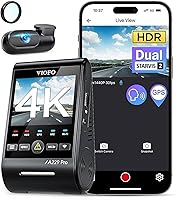
The VIOFO A229 Plus suits drivers who give rear footage as much attention as front footage. It records 1440P at both cameras and uses STARVIS 2 sensors with HDR in both views.
Its front camera supports up to 60fps, but that setting isn't available with HDR enabled. For mixed daylight and night driving, decide whether motion smoothness or balancing bright and dark areas matters more to your routine.
Voice commands include saving a video and turning on Wi-Fi. Memory card error notifications are useful because a camera can remain mounted for months while a storage problem goes unnoticed.
Choose VIOFO for a road-focused system if you're comfortable selecting a suitable card separately. No card is included, so make that part of the initial order rather than an afterthought.
Skip it if you need cabin recording or want storage included. Drivers considering parking use should also plan for the separately sold HK4 hardwire cable.
REDTIGER: front detail with storage included
The REDTIGER F7NP suits drivers who prioritize 4K front footage and a supplied memory card. Its rear camera records at 1080P, and the package includes a 128GB card.
The F7NP combines a STARVIS 2 sensor with HDR and WDR features for handling uneven lighting. Its app provides video preview, downloads, settings access and GPS playback information.
Choose it when the front road view is your main concern and the rear camera serves as supporting coverage. It fits a buyer who wants to begin with supplied storage rather than choose a card first.
Skip it if higher rear resolution or cabin footage is central to your decision. For a closer comparison of the two supplied-card options, see our ROVE R2-4K vs REDTIGER F7NP guide.
REDTIGER uses a supercapacitor, but heat precautions still apply. Follow its guidance to use original or officially recommended accessories and let the camera cool if it overheats.
Vantrue: cabin coverage for passenger-focused driving
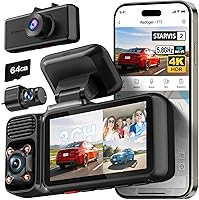
The Vantrue N4 Pro S suits drivers who need front, rear and interior footage together. Its three-channel arrangement records 4K front, 2.5K rear and 1080P interior video.
Triple STARVIS 2 sensors and HDR serve all three views, while infrared lighting supports the interior camera. Voice control lets you issue commands without reaching for camera controls.
Choose Vantrue when a cabin event could matter as much as a road incident. Position the interior camera deliberately so the mirror, seat backs or a sun visor don't block the area you want recorded.
It also has a front and rear mode for trips when interior recording isn't needed. That flexibility is useful, but a third channel brings more files to review and more storage demand when enabled.
Skip it if you only want a simple road recording setup. No memory card is included, and parking use requires a separately sold hardwire kit.
Which dash cam brand is best for parking mode?
Choose VIOFO for buffered road events or Vantrue for buffered cabin and road coverage. ROVE and REDTIGER suit buyers who prefer their time-lapse or detection-based options.
All four models need a hardwire kit for their parking features. A supercapacitor helps the camera manage power; it isn't a battery that runs parked recording for hours.
| Model | Parking options | Detail that affects your choice |
|---|---|---|
| ROVE R2-4K Dual | Time-lapse, motion detection, collision detection | Voice alert when you next start the car after a recorded parking event |
| VIOFO A229 Plus | Buffered event detection, time-lapse, low bitrate | Event buffer saves 15 seconds before and 30 seconds after detection |
| REDTIGER F7NP | Time-lapse and G-sensor recording | Choose between a continuing time-lapse record and collision-triggered footage |
| Vantrue N4 Pro S | Buffered motion and impact detection | Captures 10 seconds before an event with all three cameras active |
A buffer can preserve the approach to an incident rather than only its aftermath. Time-lapse gives a broader view of activity over time, while low bitrate recording trades some detail for smaller files.
Choose the mode for where you park. Movement near a busy sidewalk may produce many motion events, while impact detection serves a different purpose.
Parking recording doesn't guarantee every incident will be captured. Obstructed views, storage problems and loss of power can still leave gaps.
Use hardwire equipment with suitable battery protection and settings for your vehicle. Our guides explain how to hardwire a dash cam and whether a dash cam drains the car battery.
What memory card and storage plan should you choose?
Choose a compatible endurance card and a habit of saving important clips. Capacity alone doesn't tell you whether a card suits repeated recording.
ROVE and Vantrue support cards up to 1TB, while VIOFO and REDTIGER support up to 512GB. Follow each camera's card requirements rather than assuming a card from another device will work well.
Larger cards retain more footage before old files are replaced, but recording time depends on settings and the number of active channels. Don't compare capacity without considering how much video the camera writes.
Loop recording replaces older ordinary clips as storage fills. Event locking helps preserve selected files, but you should still copy important footage elsewhere promptly.
Our guide to choosing a dash cam SD card explains card selection. Format the card through the camera as instructed, after backing up anything you need.
Check saved files regularly and investigate storage warnings right away. A powered screen isn't proof that the camera is creating usable recordings.
How should you set up your chosen dash cam?
Set up camera position, cable routing and playback before hiding the wiring. Confirm that both road views are level and clear while the vehicle is stationary.
Place the front camera where it won't block your view or interfere with vehicle sensors. Keep its lens within the windshield area cleared by the wipers where practical.
Aim for a useful road view with a limited amount of sky. Too much bright sky can make the road scene harder to expose well.
For the rear camera, check for obstruction from tint bands, trim and defroster lines. On a hatchback, leave enough cable movement for the hatch to open without pulling on a connection.
Measure the actual cable route rather than the straight-line distance between cameras. Large vehicles and trim routing can use more cable than expected.
Keep wires away from pedals, steering controls and airbag deployment paths. Our guide to hiding dash cam wires covers planning a tidy route.
Confirm the date, time and any stamp settings before your first drive. Decide whether you want audio and speed information recorded instead of accepting settings without checking them.
Save and replay a short clip from every active camera. Follow our dash cam installation guide for the wider process, and get qualified help if you aren't comfortable with vehicle wiring.
What mistakes should you avoid after installation?
Avoid assuming the camera needs no attention once it's mounted. Lens condition, storage health and secure connections all affect whether footage will be useful later.
Clean the windshield inside and out, including the rear window around the camera. Use a suitable lens cloth and follow the camera's cleaning guidance to avoid scratching the lens.
Keep dashboard clutter away from the front camera's view. Bright objects can reflect in the glass and obscure parts of a recording.
Check camera aim after moving a mount or cleaning nearby glass. A small shift can leave too much sky in view or point the rear lens toward interior trim.
Don't raise impact sensitivity without checking the results. Excessive event locking can fill protected storage with routine bumps and make important clips harder to find.
Retrieve footage while parked, then keep the original file alongside any shortened copy. Preserve the minutes before and after an incident because they may explain more than the impact alone.
Review clips after changing settings or installing firmware from the brand. Confirm that recording resumes and that the card remains recognized.
Which dash cam brand should you choose?
To decide which brand dash cam is best for you, choose the recording job first. Buy the model whose strongest feature addresses that job without adding coverage you won't use.
- Choose ROVE for a supplied starter kit, provided you're comfortable with upscaled front footage.
- Choose VIOFO when clear road coverage in both directions is the main priority.
- Choose REDTIGER when front recording takes priority and you want storage included.
- Choose Vantrue when passenger or cabin footage justifies a third camera.
Before ordering, settle the card, cable route and parking power plan. Those choices determine whether your preferred camera becomes a useful daily setup.
For a closer model comparison, read our Vantrue vs VIOFO dash cam guide, then use the dash cam buying guide to check your remaining needs.
Frequently asked questions
Which dash cam brand is best for most drivers?
VIOFO is the strongest fit here for drivers who value detail from both road cameras, while ROVE suits buyers who want storage and installation supplies included. Choose REDTIGER when front recording takes priority, or Vantrue when cabin coverage matters enough to justify a third camera.
Is VIOFO or Vantrue better?
Choose the VIOFO A229 Plus for a road-focused setup, or the Vantrue N4 Pro S when you also need interior footage. Both need a separately bought memory card and hardwire equipment for parking use, so include those items when comparing the complete setup you want.
Are ROVE and REDTIGER dash cams good brands?
The ROVE R2-4K Dual and REDTIGER F7NP are useful choices for drivers who want front and rear recording with storage included. ROVE's front footage is upscaled from 2.5K, while REDTIGER records 4K front footage; compare those specific models rather than assuming every camera from either brand works the same way.
Does a dash cam brand matter more than its features?
Choose the model's coverage and recording features before choosing a brand, because those details determine what footage you can save. A familiar name won't solve a missing rear view, an unsuitable memory card or an awkward cable route, so check the complete installation before you order.