ROVE R2-4K vs REDTIGER F7NP: Which Is Better? (October 2026)
In the ROVE R2-4K vs REDTIGER comparison, choose ROVE for motion detection parking mode and larger storage upgrades, or REDTIGER for its wider front view and 4K front recording. ROVE captures at 2.5K and upscales to 4K; both include a rear camera and a memory card.
On this page (12 sections)
- ROVE R2-4K vs REDTIGER: what should decide your choice?
- How do their main features compare?
- Which camera should you choose for road footage?
- Which parking mode fits your parking spot?
- How should you plan a front and rear installation?
- What should you set before your first drive?
- How useful are GPS and phone downloads?
- How much storage do you need?
- How do you keep either camera ready to record?
- Which common mistakes should you avoid?
- When should you choose the VIOFO alternative?
- ROVE R2-4K vs REDTIGER: which should you buy?
Choose ROVE for parked-car monitoring and larger storage upgrades, or REDTIGER for a wider front view in this ROVE R2-4K vs REDTIGER comparison. Your main decision is which features fit your driving and parking habits.
ROVE's front camera captures at 2.5K and upscales to 4K, while REDTIGER specifies 4K front recording. Both supply a 1080P rear camera and a 128GB card, so neither needs a separate card to begin recording.
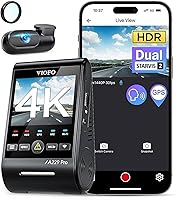
If rear detail matters most, the VIOFO A229 Plus deserves a look before you commit.


ROVE R2-4K vs REDTIGER: what should decide your choice?
Start with where your car spends its time. ROVE is the stronger fit for drivers who want motion-triggered parking footage, while REDTIGER suits drivers who favor a broad view of traffic ahead.
For a daily commute followed by overnight street parking, the parking power setup deserves as much attention as the camera. For road trips, think about saving clips and keeping enough recording history between stops.
Neither front-and-rear system provides a dedicated cabin view. Rideshare drivers who need footage of passengers should choose a system with an interior camera rather than expect the rear-facing road camera to cover that job.
Skip both if your main aim is higher-resolution rear recording. The alternative below addresses that need directly.
How do their main features compare?
The useful differences are parking triggers, storage limits and front coverage. GPS, phone access and an included card are shared conveniences, so they should not decide the purchase on their own.
| Product | Best for | Front video | Rear video | Included card | Our score |
|---|---|---|---|---|---|
| ROVE R2-4K Dual | overnight street parking | 2.5K upscaled to 4K | 1080P | 128GB microSD | 9.3 |
| REDTIGER F7NP | busy junction driving | 4K | 1080P | 128GB | 8.7 |
| VIOFO A229 Plus | rear footage priority | 1440P | 1440P | None | 8.8 |
ROVE includes a 3-inch IPS screen with live speed and compass direction. That suits drivers who prefer checking information on the camera rather than reaching for a phone.
REDTIGER includes an LCD screen and provides route, speed and location information through its app. REDTIGER also backs the F7NP with an 18-month warranty.
Choose the controls you will actually use. A clear routine for checking recording status matters more than a feature you leave untouched.
Which camera should you choose for road footage?
Choose REDTIGER for broader front coverage, but don't buy either camera on the word “4K” alone. Exposure, motion, distance and windshield glare all affect what a recording can show.
What does ROVE R2-4K vs REDTIGER mean for 4K detail?
ROVE's upscaling increases the saved image dimensions without adding the scene detail of native higher-resolution capture. REDTIGER's stated recording resolution does not, by itself, confirm native capture, so it should not be treated as proof of better plate detail.
ROVE uses a Sony STARVIS 2 IMX675 front sensor, HDR and an F1.5 aperture. REDTIGER also has a STARVIS 2 sensor and F1.5 aperture, with WDR and HDR for handling bright and dark areas.
Those features help explain the cameras' approach to difficult light. They do not promise readable plates when vehicles pass quickly, headlights flare or the subject is too far away.
When does a wider front view help?
REDTIGER has a 170-degree front view, compared with ROVE's 150-degree view. The wider angle is useful when you want more context at junctions or alongside the lane ahead.
A wider lens also spreads the scene across the frame. More coverage does not automatically make a small, distant plate larger or easier to read.
For more options, see our guide to the best 4K dash cams. Our front and rear vs front-only dash cam comparison explains when the second camera is worth the extra installation work.
Which parking mode fits your parking spot?
Pick ROVE if you specifically want motion detection; REDTIGER covers time-lapse and collision-triggered recording. Both require a separate hardwire kit for their parking features.
ROVE offers 1 fps time-lapse, motion detection and collision detection. ROVE says a parking event produces a locked 1-minute clip and a voice alert when you next start the car.
REDTIGER offers time-lapse and a G-sensor mode that records when a collision is detected. Do not assume either system saves the lead-up to an event unless that function is expressly supported.
Motion detection makes sense when activity around the vehicle is your concern. On a busy street, passing people and traffic can also create more recordings to review.
Time-lapse is useful for seeing activity across a longer period, but it leaves larger time gaps between frames than normal video. Collision detection focuses on impacts and may miss activity that does not shake the vehicle enough.
Plan power before choosing a mode. A compatible kit with low-voltage protection can help limit battery drain, but the available recording time still depends on the vehicle battery and how often you drive.
Read our guides to dash cams with parking mode and how to hardwire a dash cam. If the car often sits unused, our guide to dash cam battery drain will help you plan the power setup.
How should you plan a front and rear installation?
Check the cable route before attaching either camera. Both packages include cameras, a car charger, mounting supplies, cable clips and a trim tool, but your vehicle determines how easy the fit will be.
ROVE supplies a 6 m rear cable, while REDTIGER supplies a 21.3 ft rear cable, about 6.5 m. Measure the route around trim and pillars rather than the straight distance between the windows.
Leave enough slack for a hatch or tailgate to open fully without pulling on the cable. Keep that slack secured so it cannot snag, rattle or catch in a hinge.
Place the front camera where it has a clear view through the swept part of the windshield. Check the view from the driver's seat before fixing the mount, and keep the device clear of sensors and required sightlines.
For the rear camera, avoid thick trim, dark tint bands and heater lines where practical. Check the live view with the hatch closed, since the angle can change as the glass moves.
Keep wiring away from airbag deployment paths and moving controls. Use a qualified installer if the safe route or hardwire connection is unclear.
Our dash cam installation guide walks through placement. Follow the guide to hiding dash cam wires when planning a tidy cable route.
What should you set before your first drive?
Confirm that both channels record usable clips before relying on the system. A powered screen shows that the camera has power, but you still need to check the saved files.
Format the card through the camera menu as directed, after saving anything already on it. Set the date, time zone and any available daylight-saving option so an incident is easier to locate later.
Aim the front camera with enough road in view rather than filling most of the frame with sky. Excess sky can make exposure harder when the road is shaded.
Check the rear image for the correct orientation and a level horizon. Remove protective films from the lenses and look for dashboard reflections or interior objects blocking the view.
Review the microphone setting and decide whether you want cabin audio saved. Set the screen behavior so it does not distract you during night driving.
Finally, switch the vehicle off and back on to confirm the expected recording behavior. If parking recording is part of your setup, check that mode separately rather than assuming normal driving recording proves it works.
How useful are GPS and phone downloads?
GPS adds context to a clip, while Wi-Fi helps you save it without removing the card. Both cameras include GPS and 5.8GHz Wi-Fi for app access to recordings.
ROVE supports phone viewing, settings changes and firmware updates through its app. REDTIGER's app provides preview, playback, downloads and camera settings.
Both brands specify transfer speeds up to 20 MB/s. Actual download time depends on the connection and file size, so save important footage while parked with enough time to confirm the transfer.
The camera's Wi-Fi connection is a local link to your phone. It does not mean you can watch the car from anywhere over the internet.
Practice finding and downloading a clip before an incident occurs. Our guide to viewing dash cam footage on your phone explains the basic process.
GPS information can help place a clip in context, but review the video itself before drawing conclusions. Keep an original copy when sharing footage rather than relying only on a compressed messaging-app version.
How much storage do you need?
Use the included card to learn your recording needs, then upgrade if footage cycles out too quickly. ROVE supports cards up to 1TB, while REDTIGER supports up to 512GB.
A larger card can hold more history at the same recording settings. Exact retention depends on bitrate, active cameras and recording modes, so avoid planning around a fixed number of hours without checking actual files.
Both cameras use loop recording to replace older footage when storage fills. Locking an event helps protect it, but copying it elsewhere is the safer way to keep a permanent record.
Choose a compatible high-endurance card designed for repeated video writes. Capacity alone does not tell you whether a card is suitable for constant recording.
Check saved clips periodically and format the card at the interval recommended in the camera instructions. Always copy needed recordings first, and power the camera down before removing its card.
Our guide to choosing a dash cam SD card covers card type, capacity and care.
How do you keep either camera ready to record?
Clean glass, secure connections and healthy storage deserve regular checks. A good camera position cannot compensate for a dirty windshield or a loose rear cable.
Clean the inside glass around both camera views, where a haze can build up unnoticed. Use a suitable lens cloth for the camera and avoid spraying cleaner directly onto it.
After window cleaning or work inside the car, check that neither mount has moved. Review a recent front and rear clip rather than judging the angle only from the camera body.
Use the supplied or officially recommended power accessories. ROVE calls for its included power cable and a compliant 5V USB source; REDTIGER advises against non-original or low-quality charging accessories.
Both cameras use supercapacitors, but heat still needs attention. REDTIGER advises avoiding prolonged high temperatures and disconnecting power if the device overheats until it has cooled.
Before a long trip, inspect the cables and card for damage. Check for firmware updates while parked and follow the brand's instructions, allowing the update to finish before disconnecting power.
Which common mistakes should you avoid?
The biggest mistakes are assuming recording works and waiting too long to save a clip. Build a short check-and-save routine before you need footage for an incident.
Don't set collision sensitivity so high that ordinary bumps constantly lock driving clips. If protected files accumulate quickly, review the setting and manage those files according to the manual.
Don't judge night footage from a stationary preview alone. Review a saved drive for glare, reflections and exposure, since moving traffic creates different demands.
Don't adjust the app, mount or menu while driving. Pull over safely before checking an alert or saving footage.
After an incident, note the approximate time and preserve clips from both cameras, including the periods before and after it. Confirm that downloaded files open correctly before formatting or returning the card to routine use.
When should you choose the VIOFO alternative?
Choose the VIOFO A229 Plus when rear recording is a buying priority. It records 1440P front and rear, with Sony STARVIS 2 IMX675 sensors and HDR on both channels.
Its front camera supports up to 60 fps, but that setting is unavailable while HDR is enabled. Choose between those settings based on the driving conditions you need to record rather than expecting both at once.
VIOFO also offers buffered parking event recording, saving 15 seconds before and 30 seconds after a detected event. Its other parking options are time-lapse and low-bitrate recording, with the HK4 hardwire cable sold separately.
Budget for a memory card as well, since one is not included. This is the better direction if rear detail or a buffered event mode matters more than getting a card in the box.
Compare the VIOFO A229 Plus and Pro if you're considering that change in priorities.
An alternative for rear-focused buyers
ROVE R2-4K vs REDTIGER: which should you buy?
Buy ROVE for motion-triggered parked recording and greater storage headroom; buy REDTIGER for broader front coverage. Those are the clearest reasons to choose between these packages.
Skip ROVE if native 4K capture is a firm requirement. Skip REDTIGER if motion-triggered parking footage or storage beyond its supported limit is central to your plan.
For a closer look at the controls and features, read the ROVE R2-4K Dual review or the REDTIGER F7NP review. Choose VIOFO instead if the rear camera is the deciding factor.
Before ordering, settle the rear cable route and parking power plan. If parked recording drives your choice, use our parking mode guide to match the installation to how long your car usually sits.
Frequently asked questions
Is the ROVE R2-4K Dual native 4K?
No, the ROVE R2-4K Dual captures front footage at 2.5K and upscales it to 4K, so the saved resolution does not mean native 4K capture. REDTIGER specifies 4K front recording, but that specification alone does not confirm native capture or prove better detail in moving traffic.
Do both dash cams include a memory card?
Yes, the ROVE R2-4K Dual and REDTIGER F7NP each include a 128GB card, which lets you begin recording without buying a separate card. The VIOFO A229 Plus requires a compatible card bought separately, and any replacement card should suit repeated dash cam recording and the camera's capacity limit.
Do these cameras record while the car is parked?
Both cameras offer parked recording with a separate hardwire kit: ROVE provides time-lapse, motion detection and collision detection, while REDTIGER provides time-lapse and G-sensor collision recording. Plan the power connection and battery protection before installation, since a camera plugged into a socket that switches off cannot keep recording from that socket.
Which dash cam has better rear video resolution?
The VIOFO A229 Plus has the higher rear resolution here at 1440P, compared with 1080P on both the ROVE R2-4K Dual and REDTIGER F7NP. Choose it if rear footage is a priority, while keeping the rear glass clean and aiming the camera away from trim, reflections and other obstructions.